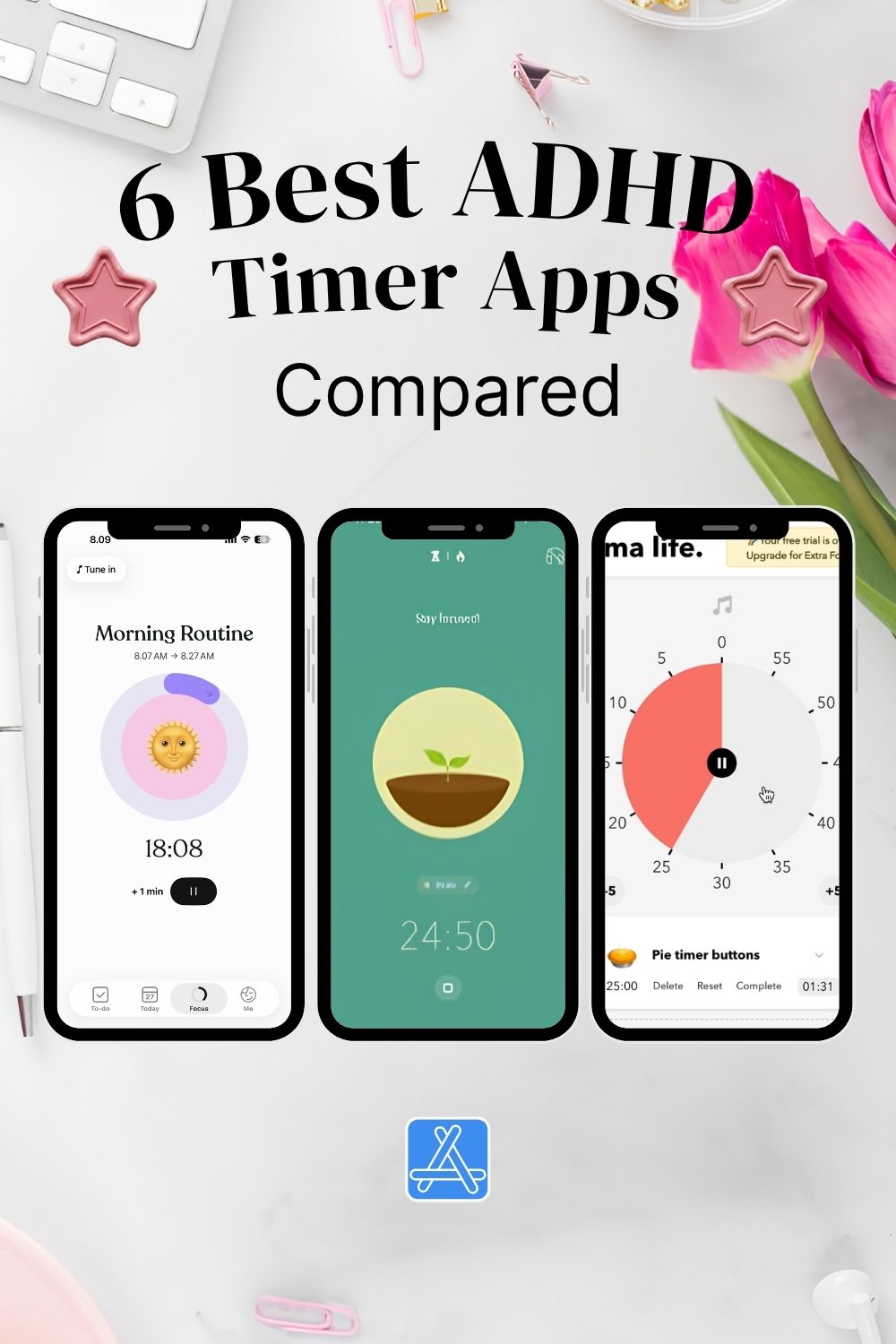
Best ADHD Timer Apps: 6 Ways to Make Time Feel More Manageable
Long before I started recognizing ADHD patterns in myself, I was already experimenting with productivity apps and focus timers.
I didn’t know much about ADHD back then. I just knew that I often lost track of time.
I could sit down to work on a project and have absolutely no idea how much time had passed. Sometimes I wanted to understand how long my tasks actually took. Other times, I simply needed something to help me stay focused instead of getting distracted.
So I started trying different timer apps.
Looking back, it’s interesting how many of these tools I was already using before I understood why I might need them.
I’ve personally tried most of the apps on this list, and one of my favorites among the free options was Forest.
There’s something surprisingly motivating about watching a little virtual tree grow while you’re working.
But what made it useful wasn’t just the cute design. It actually changed how I approached distractions and interruptions.
And that’s why I think choosing the right ADHD timer app is such a personal thing.
Sometimes the best productivity tool isn’t the one that helps you work faster. It’s the one that helps you notice what you’re doing and make more intentional choices.
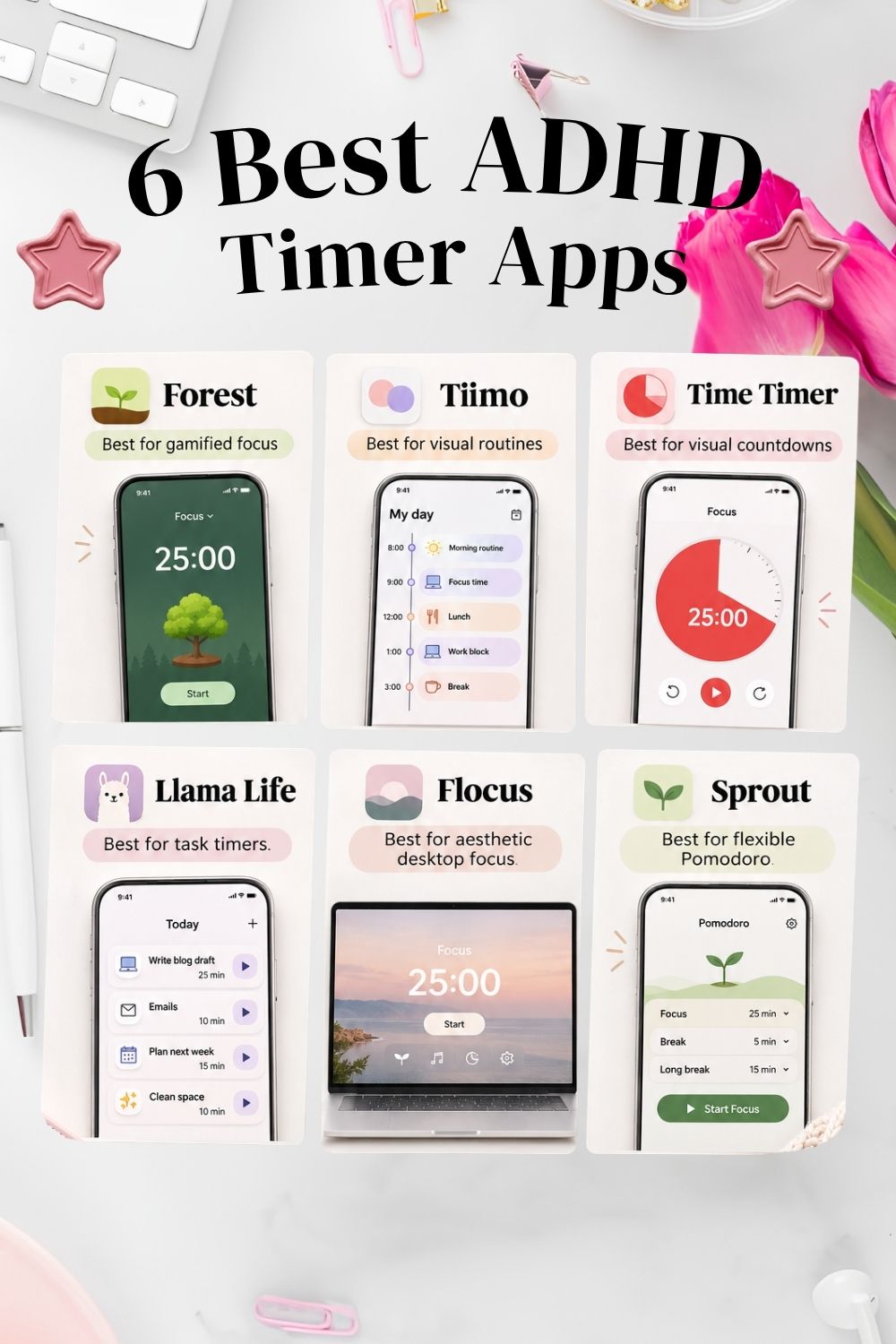
Quick Comparison: Best ADHD Timer Apps
| App | Best for | Free option |
|---|---|---|
| Forest | Gamified focus and reducing phone distractions | Yes |
| Tiimo | Visual routines and task planning | Yes |
| Time Timer | Seeing how much time remains | Check current store pricing |
| Llama Life | Working through tasks one at a time | Check current plans |
| Flocus | Aesthetic desktop focus sessions | Yes |
| Sprout | Flexible Pomodoro timers and playful motivation | Yes |
Free features, subscriptions, and device availability may change. Check the official websites for the latest details.
Why Might an ADHD Timer App Help?
Many people with ADHD experience difficulties with time awareness, task initiation, transitions, or estimating how long an activity will take.
A timer can provide an external cue.
It might help you:
- Notice that time is passing.
- Create a clear starting point for a task.
- Break overwhelming activities into shorter sessions.
- Remember to take breaks.
- Recognize how much focused work you’ve completed.
- Make repetitive tasks feel more engaging.
But not every timer solves the same problem.
If you’re struggling to start, a playful reward might help.
If you frequently underestimate how much time has passed, a visual countdown might be more useful.
If your task list feels overwhelming, timing one small step at a time could be a better approach.
And if deadlines or ticking clocks make you anxious, a gentler, less intrusive system may suit you better.
If staying focused is only one part of the challenge, explore my ADHD daily routine for adults for a more flexible way to structure your day without relying on a strict schedule.
1. Forest – Best for Gamified ADHD Focus
Best for: People who enjoy playful motivation, collecting rewards, and reducing phone distractions.
Free option: Yes.
Forest is one of the most recognizable gamified focus apps.
The concept is simple: start a focus session, plant a virtual tree, and watch it grow while you concentrate.
If you leave your session to use distracting apps under certain focus settings, your tree may wither.
Over time, your completed sessions become a virtual forest.
My Experience: Why Forest Was One of My Favorites
I tried Forest back when I didn’t even realize that ADHD might explain some of my struggles with time management and focus.
At first, I liked the simple concept: start a focus session, plant a tree, and watch it grow while you work.
But I soon noticed that it helped me in several different ways.
First, it made me think twice before picking up my phone.
Normally, checking something quickly could turn into an unexpected distraction. With a little tree growing on my screen, I had an extra reason to leave my phone alone.
Second, it encouraged me to follow through with what I had started.
I wanted to see my tree grow. That small visual reward made completing a focus session feel more satisfying.
And third, it introduced something I hadn’t really expected: a moment to reconsider interruptions.
When I wanted to pause or stop my session, I had to make a conscious decision instead of automatically switching activities.
Sometimes I’d realize that I didn’t actually need a break yet. I was just tempted to do something else.
That tiny moment of reflection could be enough to help me continue.
I also liked that my completed sessions became something visible. Instead of wondering where my time had gone, I could see a little forest representing the focus sessions I’d finished.
Of course, it wasn’t a magical solution. I could still get distracted, and not every task needed a timer.
But for me, it was a genuinely enjoyable way to bring more awareness and motivation into my work.
What I learned: Sometimes a productivity tool helps not by forcing you to focus, but by making distractions a little less automatic.
What to consider
The potential downside is the pressure.
If losing a virtual tree makes you anxious or frustrated, this might not be your ideal method.
Personally, I think gamification works best when the reward makes you want to return, rather than making you afraid of failing.
You can try Forest’s core focus features for free, with optional paid upgrades for additional customization and analytics.
My take: If you enjoy games, visual progress, and small rewards, Forest would be one of my first recommendations to explore.
If playful rewards help you get started, you might also enjoy these 75+ dopamine menu examples, including simple ways to make boring tasks feel more engaging.
2. Tiimo – Best Visual ADHD Timer and Daily Planner
Best for: People who want an ADHD timer integrated into their daily routines.
Free option: Yes, with optional Pro features.
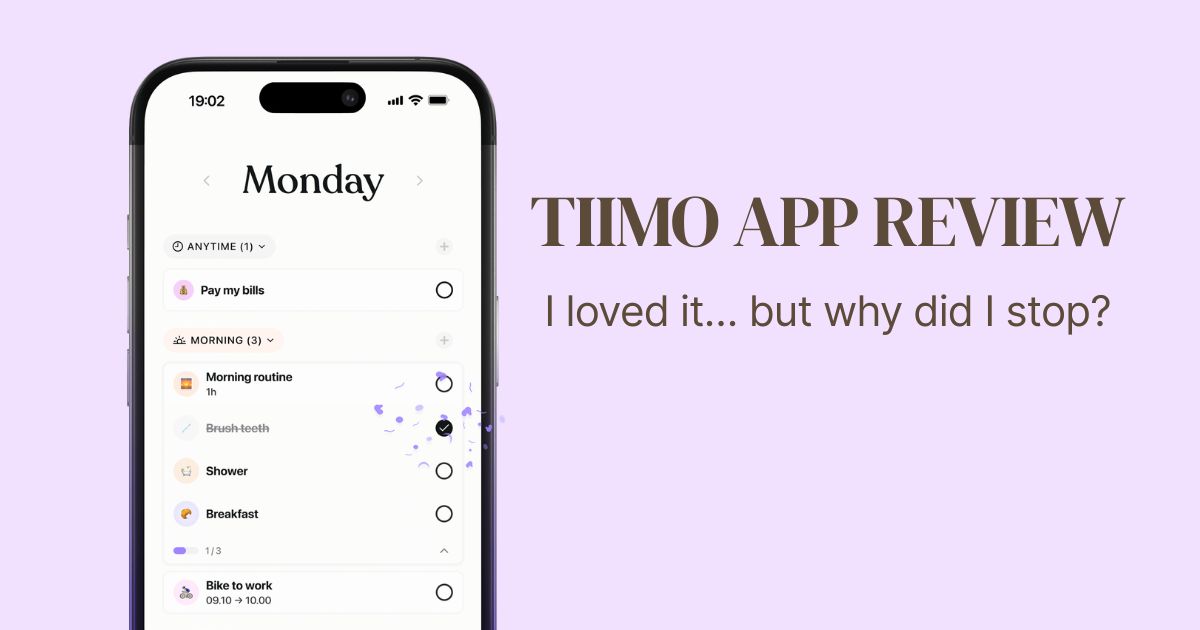
Tiimo combines visual planning, task organization, reminders, and focus timers.
Instead of treating timing as a separate activity, it connects your timer to the things you’ve planned for your day.
You can use visual schedules, see your current activity, and follow your tasks across supported devices.
Why it could be useful
I particularly like the idea of connecting a timer to a routine.
Sometimes the challenge isn’t simply staying focused.
It’s remembering what comes next.
A visual planning app can help you see the sequence of your day rather than relying entirely on memory.
Tiimo may be worth exploring if you prefer:
- Visual schedules.
- Clearly defined activities.
- Timers attached to individual tasks.
- Gentle reminders.
- Planning and focus tools in one place.
What to consider
If you only need a basic countdown timer, Tiimo might offer more functionality than necessary.
And while the free version includes essential planning and focus features, some advanced options require Pro.
My take: Tiimo looks particularly promising for anyone who prefers visual routines over traditional to-do lists.
Related reading: If you’d rather create a physical routine system, explore my ADHD routine chart ideas for adults.
3. Time Timer – Best for Seeing Time Pass
Best for: People who struggle to visualize how much time is left.
Free option: Check the current version and app-store pricing.
Time Timer takes a different approach from a standard digital clock.
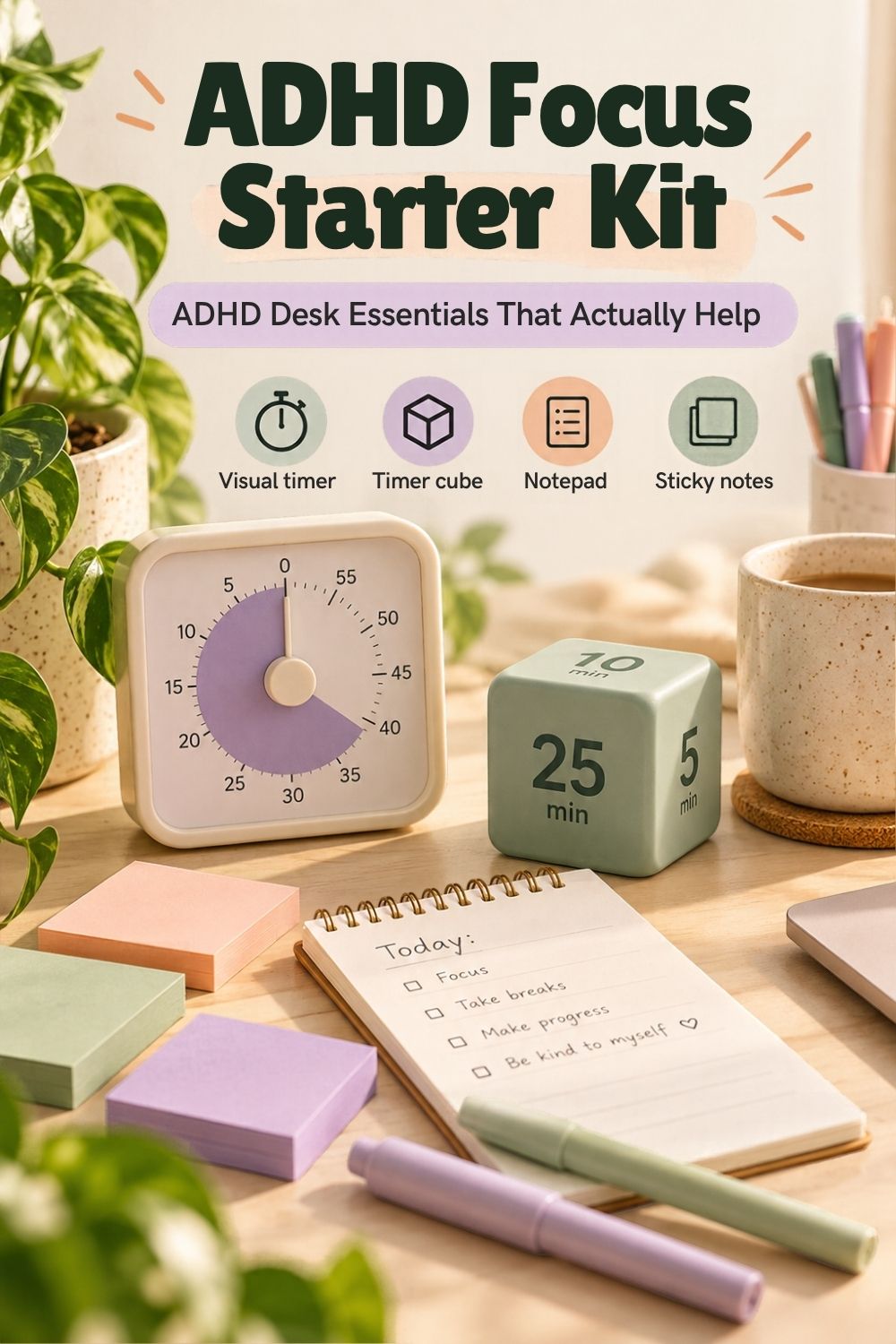
Instead of showing only numbers, it uses a colored disk that gradually disappears as time passes.
This means you can see the remaining time as a shape.
Why visual countdowns are interesting
Imagine you have 20 minutes to get ready.
A normal clock tells you the current time.
A visual timer shows how much of your 20-minute window remains.
For some people, that may be easier to process at a glance.
I think this could be useful for:
- Morning routines.
- Getting ready to leave home.
- Household chores.
- Study sessions.
- Breaks between activities.
What to consider
Time Timer is more focused on time awareness than on task organization or gamification.
If you need rewards, a task list, or a playful interface, another app may suit you better.
My take: A good option to consider when the main problem is understanding how much time remains.
4. Llama Life – Best ADHD Task Timer
Best for: People who create long to-do lists but struggle to work through them.
Llama Life combines task management with individual countdown timers.
Instead of looking at everything you need to do at once, you can focus on completing one activity.
Each task can have its own timer.
For example:
- Reply to emails – 15 minutes.
- Clean the kitchen – 10 minutes.
- Write the introduction – 20 minutes.
- Take a break – 5 minutes.
The app also offers features such as sounds, task customization, and reusable lists.
Why this approach makes sense
Sometimes a traditional Pomodoro session feels too disconnected from what you’re actually doing.
You set a timer for 25 minutes, but you still don’t know where to begin.
A task-based timer offers a more concrete starting point.
Instead of saying, “I need to be productive for the next hour,” you can say, “I’m spending ten minutes on this one thing.”
That feels much more approachable.
What to consider
Llama Life includes more task-management functionality than a basic timer.
If you don’t want to organize your activities inside another app, this may create unnecessary setup.
My take: Particularly interesting for task initiation and for turning large to-do lists into smaller, timed actions.
5. Flocus – Best Free Aesthetic Focus Timer for Desktop
Best for: People who enjoy beautiful workspaces, ambient sounds, and customizable focus sessions.
Free option: Yes.
Flocus is a browser-based focus dashboard that combines timers with aesthetic backgrounds, music, and task planning.
It supports different timing styles, including Pomodoro, countdown, and stopwatch modes.
The free plan includes the core timer, limited tasks, selected themes, and ambient sounds.
Why aesthetics matter to me
I’ve always cared about how my planning tools look.
That doesn’t mean everything needs to be decorated or complicated.
But I find that a pleasant visual environment can make me more willing to return to a tool.
I like the idea of creating a focused workspace that feels calm and inviting.
Flocus could be particularly appealing if you work on a computer and enjoy customizing your environment.
What to consider
Be careful not to spend more time decorating your productivity dashboard than actually working.
I’ve definitely experienced the temptation to perfect a planning system instead of using it.
My take: Worth exploring if you want a simple focus timer with a cozy, customizable desktop atmosphere.
6. Sprout – Best for Flexible ADHD Pomodoro Sessions
Best for: People who want shorter focus intervals, flexible breaks, or playful task management.
Free option: Yes.
Try the free Sprout Pomodoro timer
Sprout offers a free online Pomodoro timer with several suggested focus intervals:
- 15 minutes of work, 5 minutes of rest.
- 25 minutes of work, 5 minutes of rest.
- 45 minutes of work, 10 minutes of rest.
You can also customize your timing.
The broader Sprout app combines task management, focus timers, reminders, and virtual pet rewards.
Why flexibility is important
One thing I dislike about overly rigid productivity advice is the idea that everyone should work in exactly the same intervals.
Twenty-five minutes can be perfect for one activity and completely impractical for another.
Maybe you need ten minutes to begin cleaning.
Maybe you want a longer creative session without interruptions.
Or perhaps your energy changes throughout the day.
I prefer tools that let me adapt the structure to my situation.
What to consider
The full Sprout app includes features beyond timing, such as task planning and AI tools.
If you’re looking for the simplest possible timer, start with the free browser version before exploring everything else.
My take: An interesting option if you want flexible Pomodoro timing without committing to a complicated productivity system.
Which ADHD Timer App Should You Choose?
Instead of asking which app is the best overall, I would start with one question:
What exactly do you want your timer to help you with?
| Your main challenge | Try this |
|---|---|
| I keep getting distracted by my phone | Forest |
| I need to see what’s next in my routine | Tiimo |
| I don’t notice time passing | Time Timer |
| I don’t know how to start my to-do list | Llama Life |
| I want an enjoyable desktop focus environment | Flocus |
| I want to experiment with shorter focus sessions | Sprout |
You don’t need all six apps.
In fact, installing too many productivity tools can become its own distraction.
I would choose one that addresses your biggest challenge and experiment with it for a few days.
Is a Visual Timer Better Than a Pomodoro Timer for ADHD?
Not necessarily.
These tools solve slightly different problems.
Visual timers
Visual timers show how much time remains through colors, shapes, or progress indicators.
They may be helpful when you need a more concrete representation of time.
Pomodoro timers
Pomodoro timers divide activities into work and break intervals.
They’re useful when having a clear start and stopping point makes tasks feel more approachable.
However, the classic 25-minute interval isn’t a universal rule.
You can use shorter or longer sessions.
Gamified timers
Gamified timers add rewards or playful consequences.
For example, you might grow a virtual tree, earn points, or complete a visual progress challenge.
These can be motivating if you enjoy game-like feedback.
But if maintaining streaks or losing rewards makes you feel stressed, a simpler approach may be better.
Task-based timers
Task-based timers connect a countdown to one specific activity.
They can help when the main difficulty is moving through a list of responsibilities.
You can also combine approaches.
For example, you might use a visual timer while following a printable morning routine chart.
What If ADHD Timers Make You Anxious?
This is something I think deserves more attention.
Timers are often recommended as productivity tools, but the experience of using one can be very different from person to person.
For some, a countdown creates a helpful sense of structure.
For others, it creates pressure.
If you feel uncomfortable when watching the seconds disappear, try adjusting your approach.
You could:
- Use a stopwatch that counts upward instead of down.
- Turn off ticking sounds.
- Choose a gentle notification instead of a loud alarm.
- Start with a very short, achievable session.
- Allow yourself to pause.
- Try a visual reward instead of a deadline.
- Use the timer as information, not a rule.
Personally, I believe an ADHD-friendly tool should make things easier, not turn everyday activities into constant performance tests.
The goal isn’t to prove you can concentrate for a certain number of minutes.
It’s to find a little more support when you need it.
How to Start Using an ADHD Focus Timer
If you’ve downloaded productivity apps before and forgotten about them after a few days, I would keep your first experiment extremely simple.
Step 1: Choose one activity
Not your entire workday.
Just one activity you tend to delay.
For example, answering emails or putting away laundry.
Step 2: Pick a short time window
Try five, ten, or fifteen minutes.
The goal is to make getting started more approachable.
Step 3: Choose your motivation style
Would you rather:
- Watch a tree grow?
- See a colorful timer shrink?
- Complete a short task card?
- Listen to calming background sounds?
Pick whatever feels most inviting.
Step 4: Notice how the timer makes you feel
Did it help you start?
Did it make the task more enjoyable?
Did you feel rushed?
Did it interrupt your concentration?
The answers matter more than the number of minutes you completed.
Step 5: Adjust or switch
You don’t have to force yourself to keep using an app that isn’t helping.
Sometimes, a change in session length is enough.
Other times, you need an entirely different approach.
A timer can be especially useful for small household tasks. If cleaning feels overwhelming, try my ADHD-friendly cleaning reset with manageable steps and 5-, 10-, or 20-minute options.
Can You Use ADHD Timer Apps with a Routine Chart?
Absolutely.
I actually think this is one of the most practical combinations.
A visual routine chart helps you see what needs to happen.
A timer can help you begin or move through individual steps.
For example:
Morning routine chart
- Get dressed.
- Eat breakfast.
- Pack your bag.
- Check essentials.
- Leave home.
You might use a gentle visual timer for the overall routine.
Or you could use a short, playful timer for the one step you regularly struggle to start.
You don’t have to time everything.
Related reading: Explore my ADHD routine charts for adults to find different ways of organizing your day.
Frequently Asked Questions
What is the best free ADHD timer app?
Forest, Flocus, Tiimo, and Sprout offer useful free options. Forest is particularly appealing for gamified focus, while Flocus is worth exploring for desktop Pomodoro sessions. The best choice depends on your needs and device.
Are ADHD timer apps available for Windows and Mac?
Yes. Browser-based tools such as Flocus and Sprout’s web timer can be used on compatible desktop browsers. Tiimo also offers a web planner, and Llama Life provides desktop access. Check the official websites for current compatibility.
What is the best ADHD visual timer app?
Time Timer is a straightforward option if you want to see the remaining time as a disappearing disk. Tiimo is another option if you want to combine visual timing with daily planning.
Is the Pomodoro technique good for ADHD?
It may help some people structure work into manageable intervals, but it isn’t suitable for everyone. You can adjust the traditional 25-minute work session to fit your concentration and energy.
Can I use an ADHD timer on my Apple Watch?
Some apps, including Tiimo and Time Timer, support Apple Watch. Features and compatibility depend on the app and device version.
What if I ignore my timer?
Try changing the type of reminder, where the timer is displayed, or how it relates to your task. A visible countdown, a wearable notification, or a task-specific cue may work better than an alarm you routinely dismiss.
Final Thoughts: I Was Using ADHD-Friendly Tools Before I Knew Why
One of the things I find fascinating about looking back at my productivity experiments is realizing how many ADHD-friendly strategies I was already trying without knowing much about ADHD.
I wasn’t searching for an ADHD timer app.
I was searching for something that could help me understand where my time went, estimate how long my projects took, and stay with a task long enough to finish it.
And sometimes, a tiny virtual tree helped more than an elaborate productivity system.
I’ve learned that the way a tool makes me feel matters just as much as its features.
A timer that helps someone else might make me feel rushed. A playful reward might encourage me to keep going. A beautiful interface might make me more interested in returning to an app.
That’s why I don’t believe there’s one perfect ADHD timer for everyone.
The goal isn’t to become someone who can focus perfectly. It’s to find little ways to make everyday tasks more manageable.
And if watching a virtual tree grow helps you finish that one task you’ve been putting off?
I think that’s a pretty good start. 🌱
Not every break needs to be productive. If you often feel restless or bored between focus sessions, explore these 50 things to do when you’re bored with ADHD for ideas that match your energy level.
Note: This article includes personal experience with focus and productivity tools alongside research into current app features. Not every app featured has been personally tested. ADHD timer apps are organizational aids, not medical treatments. Features, free plans, pricing, and device compatibility may change.