ADHD Time Blindness: 15 Strategies That Actually Help
Ever sat down to do something for “just five minutes,” only to look up and realize an entire hour has disappeared? Or underestimated how long getting ready would take, even though you’ve done the exact same routine hundreds of times?
If this sounds familiar, you might have experienced something called ADHD time blindness.
Time blindness isn’t simply about being late or having poor time management skills. It’s about struggling to sense how much time is passing, predict how long things will take, or recognize when it’s time to switch activities.
And here’s the frustrating part: you can know exactly what you need to do and still struggle to do it at the right time.
The good news? You don’t necessarily need a more complicated planner, a stricter schedule, or another productivity system you’ll abandon next week.
Sometimes, you just need to make time easier to see.
In this guide, we’ll explore what ADHD time blindness looks like in everyday life and 15 practical strategies that may help you manage it without turning your entire day into a productivity challenge.
If you’ve ever felt that managing your time is just one of the many invisible challenges of adult ADHD, you’re not alone. I’ve written more about these everyday experiences in my guide to living with ADHD as an adult.
What Is ADHD Time Blindness?
ADHD time blindness is an informal term used to describe difficulties with perceiving, estimating, and managing time.
It isn’t a separate medical diagnosis, but time-related difficulties are commonly discussed in connection with ADHD and executive functioning.
For someone experiencing time blindness, an hour might feel like fifteen minutes when they’re absorbed in an interesting activity. Meanwhile, ten minutes spent waiting for something unpleasant can feel endless.
The difficulty isn’t necessarily understanding what a clock says. It’s translating that information into an awareness of how much time is available and what needs to happen next.
What does time blindness feel like?
Here are some everyday examples:
- Thinking a task will take 10 minutes when it actually takes 45.
- Completely losing track of time while scrolling, reading, or working on something interesting.
- Feeling surprised when an appointment is suddenly only 15 minutes away.
- Struggling to start a task because there’s another commitment later in the day.
- Forgetting to account for getting dressed, packing your bag, or traveling.
- Having trouble recognizing when it’s time to stop working.
- Feeling as though the day has disappeared without understanding where the hours went.
And perhaps the most frustrating example?
You can be genuinely trying to manage your time and still struggle with it.
Why Does ADHD Affect Time Perception?
ADHD is associated with differences in several cognitive processes, including attention regulation, working memory, and executive functioning.
These abilities help us estimate how much time has passed, remember what we need to do, and shift our attention between activities.
Research supports a connection between ADHD and differences in time perception.
A 2024 systematic review and meta-analysis found meaningful differences in time-perception performance among people with ADHD. However, researchers are still investigating which aspects of time perception are most affected and how these differences vary between individuals.
This is important because time blindness doesn’t look the same for everyone.
Some people struggle primarily with estimating how long tasks will take. Others find transitions particularly difficult, especially when they’re deeply focused on something engaging.
And some experience both.
The goal isn’t to develop a perfect internal clock overnight.
It’s to build external systems that make time more visible, predictable, and easier to work with.
My Experience With ADHD Time Blindness: When I Couldn’t Explain Where My Time Went
For me, ADHD time blindness was never about not knowing how to read a clock.
I knew what time it was. What I didn’t always know was where my time had gone.
I remember situations at school, and later at work, when a teacher or manager would ask me something like:
“How long did this take you?”
Or, even worse:
“Why did this take so long?”
And I genuinely didn’t know how to answer.
Not because I hadn’t been working. I just couldn’t tell you exactly how long each part had taken, what I had included in that time, or whether the overall duration was actually reasonable.
Was I slow? Was the task more complicated than expected? Had I spent too much time thinking about it?
I had no reliable way to tell.
And sometimes, that made it difficult to stand up for myself. I felt that people could question my effort or productivity, and I didn’t have the information to explain or defend my work.
One thing I’ve learned is that thinking is part of working, too.
Researching, planning, figuring something out, trying different approaches, making decisions — all of that takes time, even when there isn’t an obvious result to show for every minute.
Then there’s hyperfocus.
When I’m completely absorbed in something interesting, I can lose track of time altogether. I might be deeply engaged in a project without having any idea how long I’ve been working on it.
Eventually, I realized that this was something I needed to learn to manage.
Not because I wanted to become obsessed with productivity, but because I wanted to understand my own working patterns.
And, honestly, I became genuinely interested in how time management works.
The First Thing That Actually Helped Me
My starting point wasn’t a complicated planning system.
It was an app that tracked how much time I spent working.
For the first time, I had something concrete to look at instead of relying on my memory or my sense of how long a task should have taken.
I could begin to see patterns.
Which activities took longer than I expected? Where was I spending my time? How much work was actually happening behind a finished project?
That simple awareness helped me take the next steps.
Over time, I started experimenting with calendars, time blocking, and other planning techniques.
But I didn’t learn everything at once.
First, I needed to understand my time. Then I could start learning how to plan it.
And that’s still how I think about ADHD time management today.
It’s not about squeezing more tasks into every day.
It’s about having a clearer picture of what I’m doing, making realistic decisions, and being able to recognize the value of my own time.
15 ADHD Time Blindness Strategies That Can Make Everyday Life Easier
You don’t have to try all 15 strategies.
In fact, I would recommend starting with just one or two that address your biggest challenges.
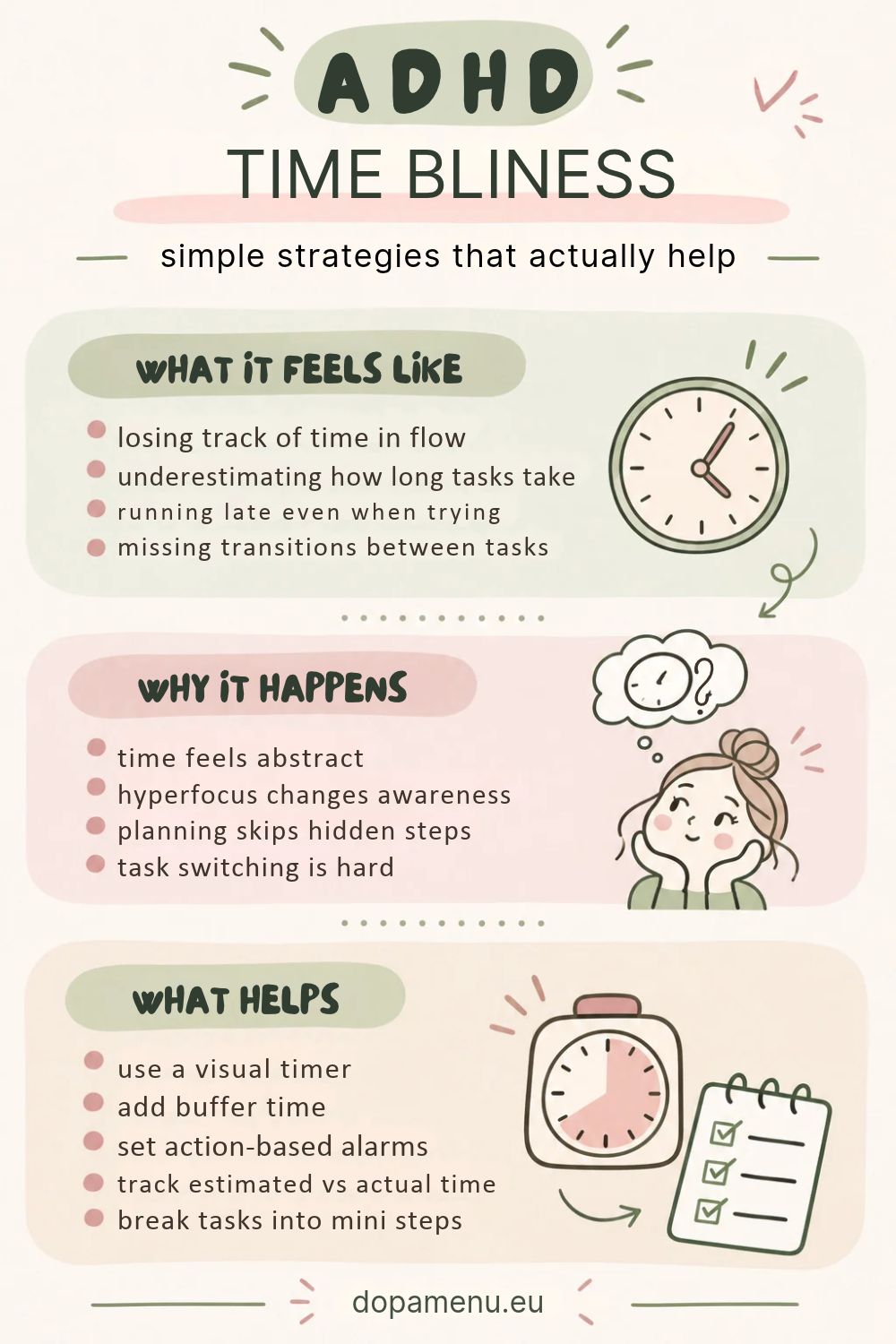
1. Use a Visual Timer Instead of Relying on a Digital Clock
A digital clock tells you what time it is.
A visual timer shows you how much time you have left.
That difference can be surprisingly useful.
With a visual timer, you can see the remaining time shrinking rather than having to calculate it mentally.
Try this:
Set a visual timer for 20 minutes while cleaning, working, cooking, or getting ready.
Place it somewhere visible instead of hiding it in another browser tab.
The goal isn’t to race against the clock. It’s to make the passage of time easier to notice.
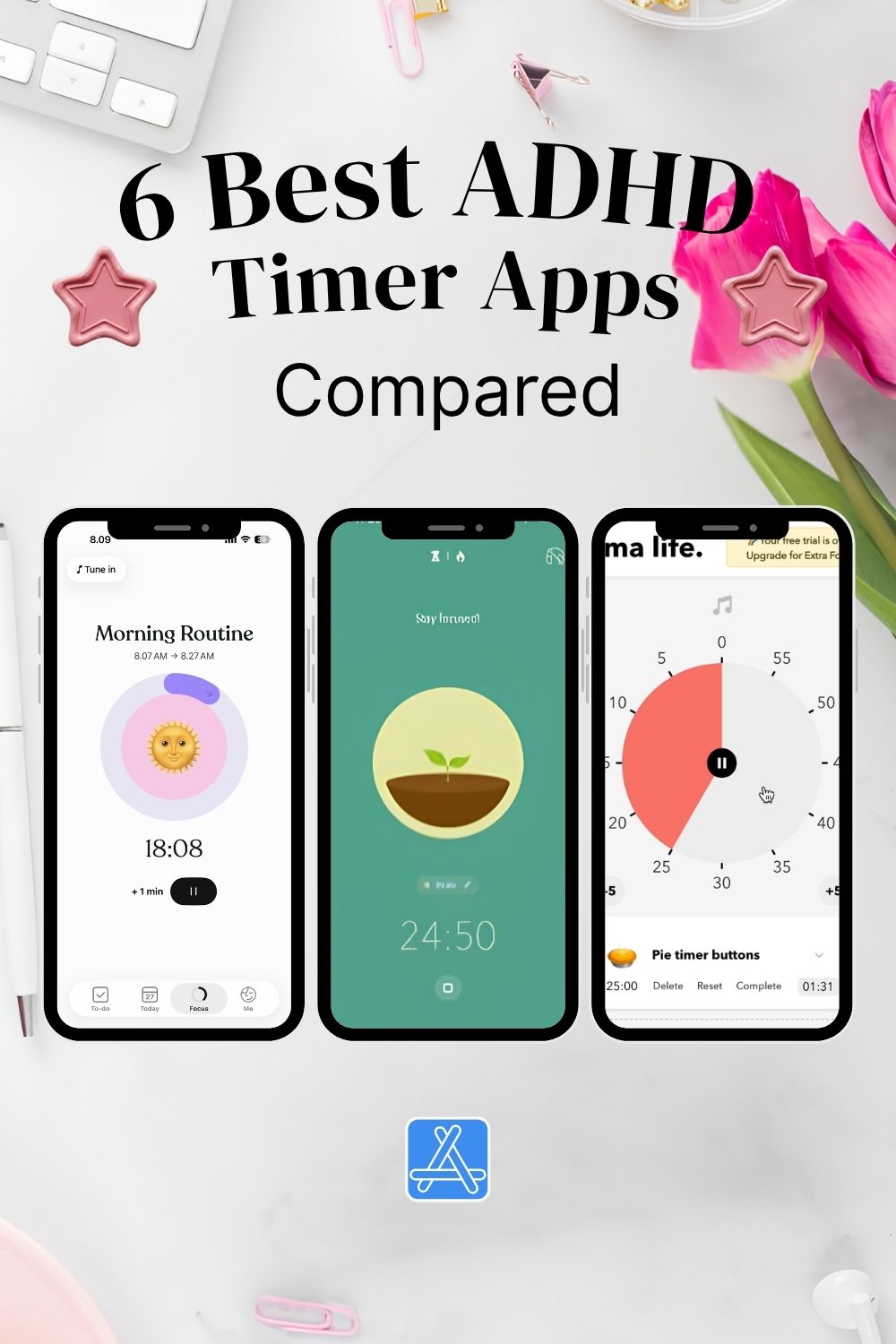
If you’re wondering which type of timer might work best for you, I’ve compared seven ADHD-friendly timers on Amazon, including visual countdown timers, timer cubes, and wearable options.
2. Track How Long Your Tasks Actually Take
One of the most useful exercises for ADHD time blindness is comparing estimated time with actual time.
For example:
| Task | Estimated time | Actual time |
|---|---|---|
| Getting ready | 15 minutes | 35 minutes |
| Answering emails | 20 minutes | 50 minutes |
| Cleaning the kitchen | 10 minutes | 25 minutes |
| Writing a blog outline | 30 minutes | 60 minutes |
These are illustrative examples, not research averages.
Before starting a task, write down how long you think it will take.
Then start a timer that counts upward.
When you’re finished, record the actual duration.
After a few days, you may start noticing patterns.
Maybe getting ready always takes longer than expected. Maybe answering emails becomes a much bigger task when you’re already overwhelmed.
This information can help you plan more realistically.
Track Your Time to Understand Your Work, Not Just Your Productivity
Here’s something I wish I’d understood earlier: tracking your time isn’t just about becoming faster or more productive.
It’s also about understanding what your work actually involves.
For example, writing an article isn’t just typing words. It might include research, brainstorming, outlining, editing, making decisions, and solving unexpected problems.
All of that counts as work.
When you track your time, you begin to see the invisible parts of your effort, too.
And that can be incredibly empowering, especially if you’ve ever struggled to explain why something took as long as it did.
You don’t have to justify every minute of your day. But you deserve to understand where your time goes — and recognize the value of what you do.
Start by tracking just one project, including the planning and thinking time. You might be surprised by what you discover.
3. Add Buffer Time Between Activities
A common planning mistake is scheduling activities back-to-back without accounting for transitions.
For example:
9:00 — Work meeting
10:00 — Grocery shopping
11:00 — Start lunch
But what about putting away your laptop, finding your keys, driving to the store, and unpacking groceries?
Those small transitions still take time.
Try adding a 10–20-minute buffer between activities as a starting point, adjusting it based on your actual routines.
For longer journeys or unpredictable tasks, you might need more.
Think of buffer time as part of the plan, not wasted time.
4. Set a “Time to Leave” Alarm, Not Just an Event Reminder
An appointment reminder tells you when something starts.
But what you often need is a reminder of when to begin preparing.
Instead of setting one alarm at 2:00 PM for a 2:00 PM appointment, work backward.
For example:
- 1:00 PM — Start getting ready
- 1:30 PM — Finish up and gather your things
- 1:40 PM — Leave the house
- 2:00 PM — Appointment
The important part is that each alarm represents an action.
“Leave the house” is much more useful than a notification that simply says “Appointment.”
If multiple alarms make you anxious or cause notification fatigue, start with just two: one preparation reminder and one departure reminder.
5. Try the Reverse Planning Method
Instead of asking, “What time should I start?” begin with your deadline and work backward.
Let’s say you need to leave home at 8:30 AM.
You might need:
- 10 minutes to pack your bag
- 15 minutes for breakfast
- 20 minutes to get dressed
- 20 minutes to shower and get ready
- 10 extra minutes for unexpected delays
That means your routine needs approximately 75 minutes.
Suddenly, your starting time becomes much clearer.
This method is especially useful for morning routines, appointments, travel, and deadlines.
If planning mornings and daily transitions is especially difficult, you might also like my simple ADHD daily routine for adults. It’s built around flexible anchors rather than a strict minute-by-minute schedule.
6. Make Clocks Visible in the Places Where You Lose Time
Sometimes the problem isn’t forgetting how to read the time.
It’s forgetting to check it.
A simple analog clock in your kitchen, bathroom, or workspace can provide a visual reminder without requiring you to pick up your phone.
You could also use a large clock widget on your computer or phone’s home screen.
Choose locations where time tends to disappear.
The point is to make checking the time effortless.
7. Use Time Blocks Instead of an Endless To-Do List
A to-do list tells you what needs to get done.
But it doesn’t tell you when you’ll do it or whether everything can realistically fit into your day.
Time blocking gives tasks a place on your calendar.
For example:
- 9:00–10:00 — Focused work
- 10:00–10:15 — Break
- 10:15–11:00 — Emails and admin
- 11:00–12:00 — Creative project
You don’t have to follow the schedule perfectly.
Think of it as a visual map of your available time.
If strict schedules overwhelm you, try flexible blocks such as “morning focus,” “afternoon admin,” and “evening reset.”
If you prefer seeing your entire day on a visual timeline, I’ve compared seven ADHD planner apps for adults, including Tiimo, Structured, and Ellie.
8. Use Music as a Gentle Time Cue
Not every time reminder needs to be an alarm.
Music can provide a softer way to mark time.
For example, you might create a 20-minute morning playlist and use it while getting ready.
When the last song starts, you know it’s almost time to leave.
You could also use a familiar album or instrumental playlist during cleaning sessions.
This works best when the playlist has a predictable length and doesn’t tempt you to keep choosing songs.
It’s an optional environmental cue, not a scientifically established treatment for time blindness.
9. Break Tasks Into Smaller, Timed Steps
A task like “clean the apartment” doesn’t communicate how much time you need.
It can also feel overwhelming because there’s no obvious starting point.
Instead, break it into smaller actions:
- 5 minutes — Collect dishes
- 5 minutes — Clear the desk
- 10 minutes — Put away clothes
- 5 minutes — Take out the trash
The exact durations don’t have to be perfect.
Smaller steps make the task easier to estimate and give you natural points to check the time.
You don’t need to finish everything. You just need a clear next step.
Breaking tasks down becomes much easier when your environment supports you, too. My ADHD organization guide explores simple systems that reduce everyday friction without requiring perfect routines.
10. Create Transition Rituals
Switching from one activity to another can be especially difficult when you’re deeply focused.
A transition ritual can help create a clear ending.
For example, when your work timer goes off:
- Write down where you stopped.
- Record the next action.
- Close the unnecessary tabs.
- Stand up and stretch.
- Move to your next activity.
This gives your brain a consistent sequence to follow.
It can also reduce the fear of losing your progress when you stop.
11. Use Two Different Reminders for Important Deadlines
For important commitments, consider separating your reminders into two categories.
Planning reminder: When do I need to start preparing?
Action reminder: When do I need to do the thing?
For example, if your deadline is Friday:
Wednesday — Review the remaining work.
Thursday — Complete the main task.
Friday — Submit the finished project.
This can be more helpful than relying on one last-minute reminder.
12. Create a Realistic Daily “Time Budget”
We often plan our days as though every available hour can be filled with productive activities.
But breaks, meals, transitions, interruptions, and rest all take time.
Try thinking of your day as a limited budget.
If you have six hours available for work, that doesn’t necessarily mean you have six hours of uninterrupted focus.
You might allocate:
- 3 hours for focused tasks
- 1 hour for meetings or communication
- 1 hour for admin and transitions
- 1 hour for breaks and flexibility
Your actual needs may be very different.
The important thing is to stop treating every minute as interchangeable.
If you prefer planning on paper, I’ve also collected seven ADHD-friendly planners on Amazon, including options for time blocking, daily priorities, and flexible scheduling.
13. Try Body Doubling for Difficult Tasks
Body doubling means working alongside another person, either in person or virtually.
You don’t necessarily need to work on the same task.
The other person’s presence may help create structure and make it easier to stay engaged.
You could try:
- Working quietly with a friend
- Joining a virtual coworking session
- Scheduling a shared study session
- Asking someone to check in at a specific time
This may be useful when starting tasks, maintaining momentum, or remembering to stop.
Evidence specifically supporting body doubling remains limited, so treat it as an optional strategy rather than a proven ADHD treatment.
14. Build a “Stop Working” Routine
Time blindness isn’t always about being late.
Sometimes, it means working much longer than you intended.
You might become so absorbed in a project that you forget to eat, take a break, or go to bed on time.
Try setting an end-of-day reminder.
When it goes off, write down:
- What you completed
- What still needs attention
- The first task for tomorrow
Then close your workspace.
This can make it easier to stop without worrying that you’ll forget everything.
15. Choose One Simple Time Management System
It’s tempting to download five productivity apps, buy a beautiful planner, and build an elaborate routine.
But managing the system itself can become another task.
Start with the smallest setup that helps.
For example:
- One calendar for appointments
- One timer for focused activities
- One task list for your priorities
That’s enough to begin.
You can add tools later if you genuinely need them.
The best time management system isn’t the most sophisticated one. It’s the one you’re likely to use when life gets messy.
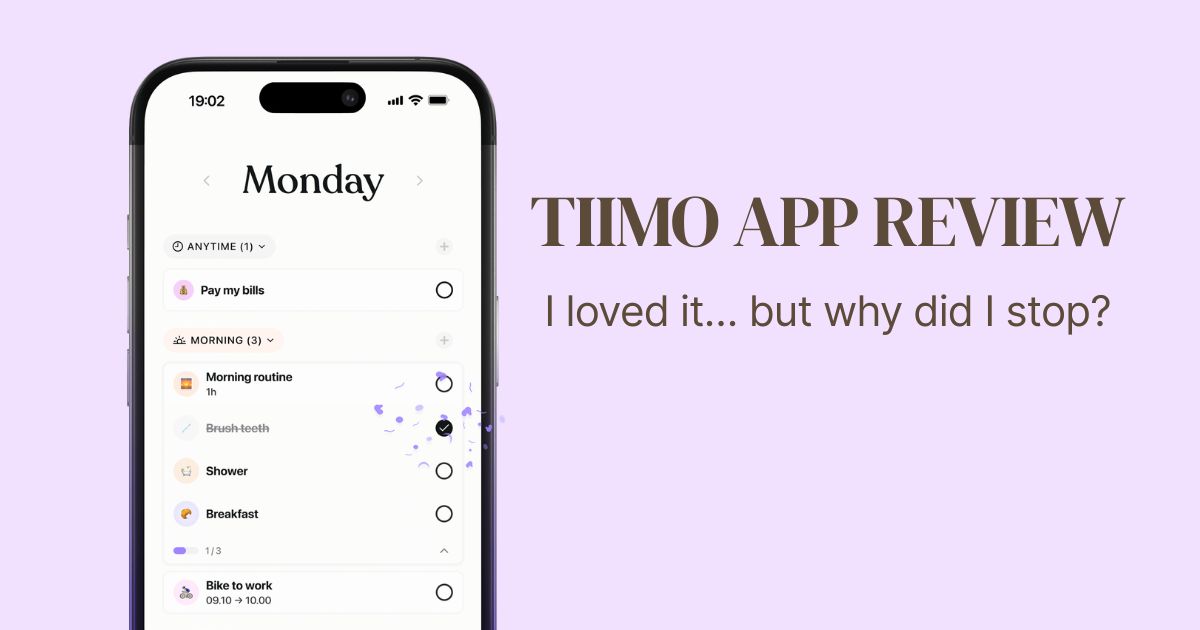
One app I experimented with personally was Tiimo. I loved some aspects of its visual planning system, but I eventually stopped using it. If you’re curious about what worked and what didn’t, read my honest Tiimo app review.
Which ADHD Time Blindness Strategy Should You Try First?
Not sure where to start? Choose the situation that feels most familiar.
| Your biggest challenge | Try this first |
|---|---|
| You’re often late | Reverse planning and departure alarms |
| You underestimate tasks | Estimated vs. actual time tracking |
| Hours disappear during work | Visual timers and transition rituals |
| Your schedule feels overwhelming | Flexible time blocking |
| You forget to stop working | An end-of-day routine |
| You struggle with too many reminders | One visible timer and one action alarm |
You don’t need to fix every time-related difficulty at once.
Try one strategy for a week and notice whether your day becomes a little easier.
Can ADHD Apps Help With Time Blindness?
They can help some people, particularly when they provide external reminders, visual schedules, or simple ways to track tasks.
Different tools solve different problems.
For example, a visual timer may help you notice the passage of time, while a calendar app can help you remember upcoming commitments.
A daily planning app might be useful if you struggle to organize tasks into realistic blocks.
But an app isn’t automatically better than a simple clock or a paper planner.
Before downloading something new, ask yourself:
What specific problem do I want this tool to solve?
You might also find these Dopamenu guides helpful:
A Simple 7-Day ADHD Time Blindness Experiment
If you’re feeling overwhelmed by all these ideas, here’s a simple way to get started.
Day 1: Notice when you lose track of time. Don’t try to change anything yet.
Day 2: Estimate how long three everyday tasks will take, then measure the actual time.
Day 3: Put a visible clock or timer in the place where you lose track of time most often.
Day 4: Add buffer time to one appointment or scheduled activity.
Day 5: Try working backward from a deadline or departure time.
Day 6: Experiment with one transition reminder.
Day 7: Review what helped, what felt annoying, and what you want to keep.
The goal isn’t a perfect week.
It’s understanding your own patterns and building a system around them.
Frequently Asked Questions About ADHD Time Blindness
Is time blindness a symptom of ADHD?
Time blindness is not an official standalone ADHD diagnostic criterion. However, differences in time perception and time management have been documented in ADHD research.
Not everyone with ADHD experiences the same time-related challenges.
Can you have time blindness without ADHD?
Yes. Difficulties estimating or tracking time can occur for several reasons, including stress, sleep deprivation, or other cognitive and mental health challenges.
Time blindness alone does not establish an ADHD diagnosis.
Does ADHD time blindness get worse with age?
There isn’t enough evidence to say that time blindness inevitably worsens with age.
Time-related difficulties may become more noticeable when responsibilities change or when external structure decreases.
Can ADHD medication help with time blindness?
ADHD treatment may improve aspects of attention and executive functioning for some people. However, the effects on particular time-perception difficulties vary, and medication should not be assumed to resolve time blindness completely.
A qualified healthcare professional can help assess appropriate treatment options.
What is the best tool for ADHD time blindness?
There isn’t one universally best tool.
Visual timers, calendars, action-based reminders, and simple planning systems may all be useful depending on the specific difficulty.
Start with the problem you want to solve rather than the product you want to buy.
Final Thoughts: You Don’t Have to Become a Perfect Time Manager
Living with ADHD-related time difficulties can be exhausting.
You might feel like you’re constantly catching up, rushing to appointments, or wondering where the day went.
But managing time doesn’t have to mean monitoring every minute or forcing yourself into a rigid schedule.
Sometimes, it means using a timer that you can actually see.
Sometimes, it means leaving ten minutes earlier.
And sometimes, it means accepting that a task takes longer than you originally expected—and planning accordingly.
You don’t need to control every minute of your day. You need a few reliable ways to make time easier to navigate.
Start small, experiment, and keep what works for you.
Learning to manage time is just one part of building an ADHD-friendly life. If you’re ready to experiment with a simple planning system, start with my ADHD daily routine guide or explore the best ADHD planner apps to find an approach that fits your needs.
Research and Further Reading
- Metcalfe, K. B., McFeaters, C. D., & Voyer, D. (2024). Time-Perception Deficits in Attention-Deficit/Hyperactivity Disorder: A Systematic Review and Meta-Analysis. Read on PubMed.
- Mette, C. (2023). Time Perception in Adult ADHD: Findings from a Decade—A Review. Read the open-access review.
- Marx, I., et al. (2022). Meta-analysis: Altered Perceptual Timing Abilities in Attention-Deficit/Hyperactivity Disorder. Read on PubMed.
- UCI Health (2024). Coping with Time Blindness and ADHD. Read the article.
Disclaimer: This article is for educational purposes and is not a substitute for professional medical advice, diagnosis, or treatment.